Rebuilt mobile search around the three filters buyers actually use
75% of BI Group’s traffic is mobile, yet buyers were leaving search before they saw a single apartment. In six weeks I took the filter panel from field research to production, and bounce rate fell by a third.
- My role
- Owned the design: audit, field research, interaction design, usability test, handoff
- Team
- PM, engineers, QA
- Timeline
- 6 weeks
- Platform
- Mobile web, 2M+ monthly users
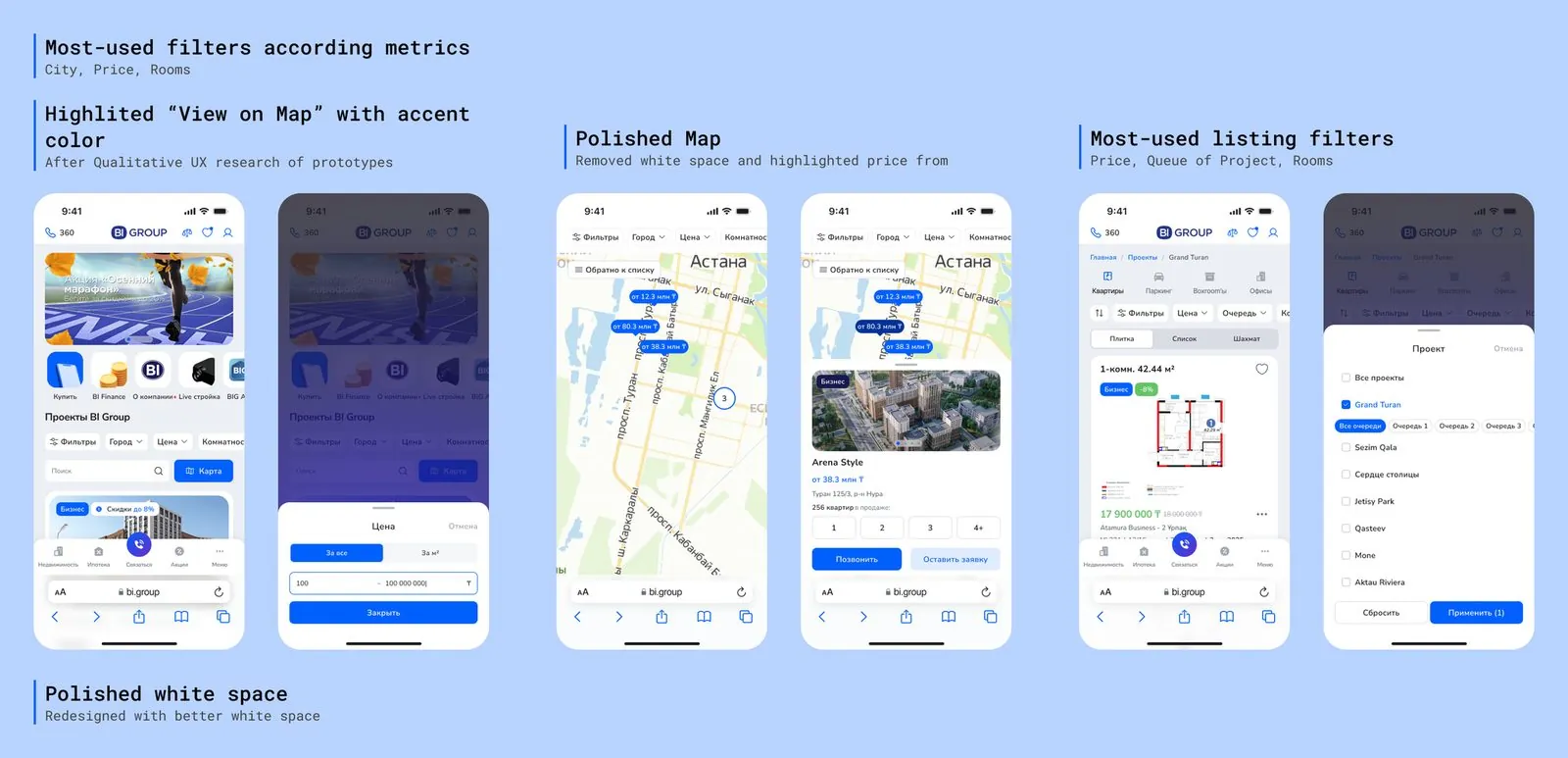
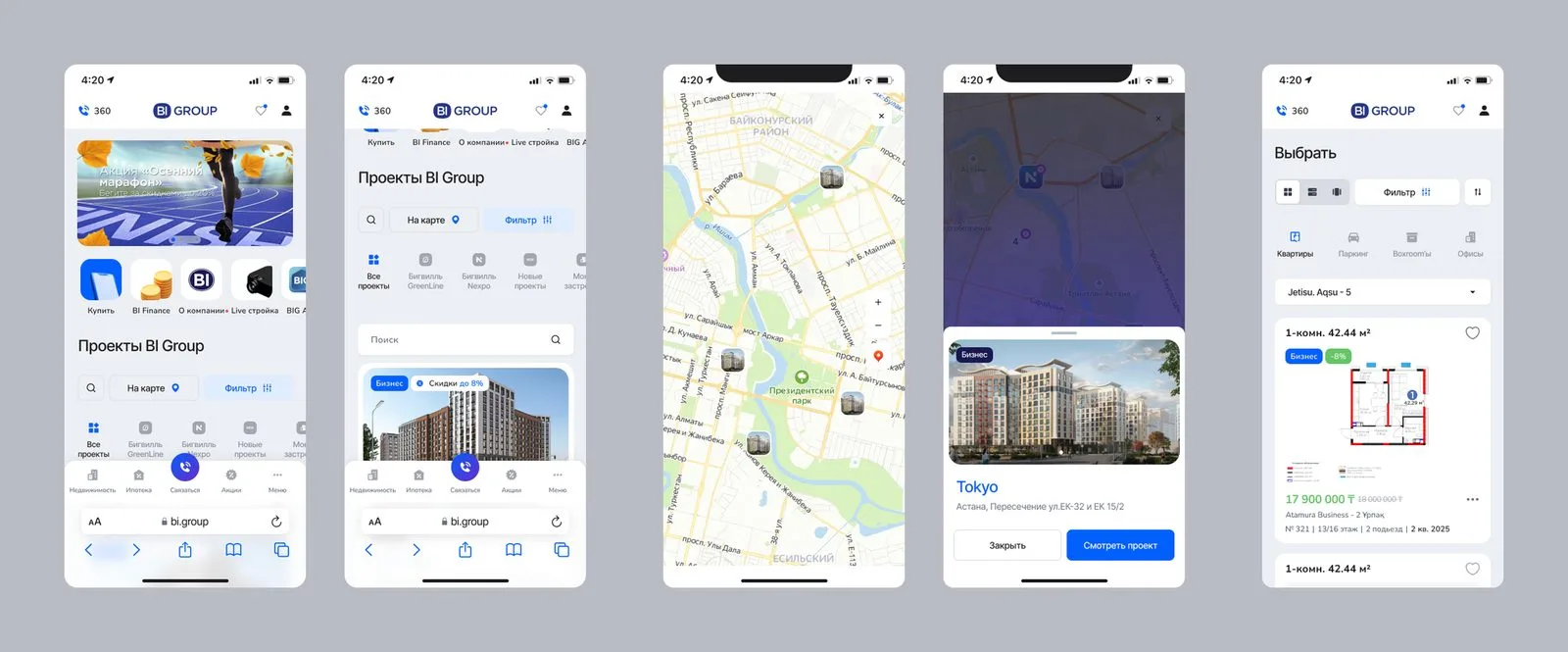
Search hid the controls people needed most
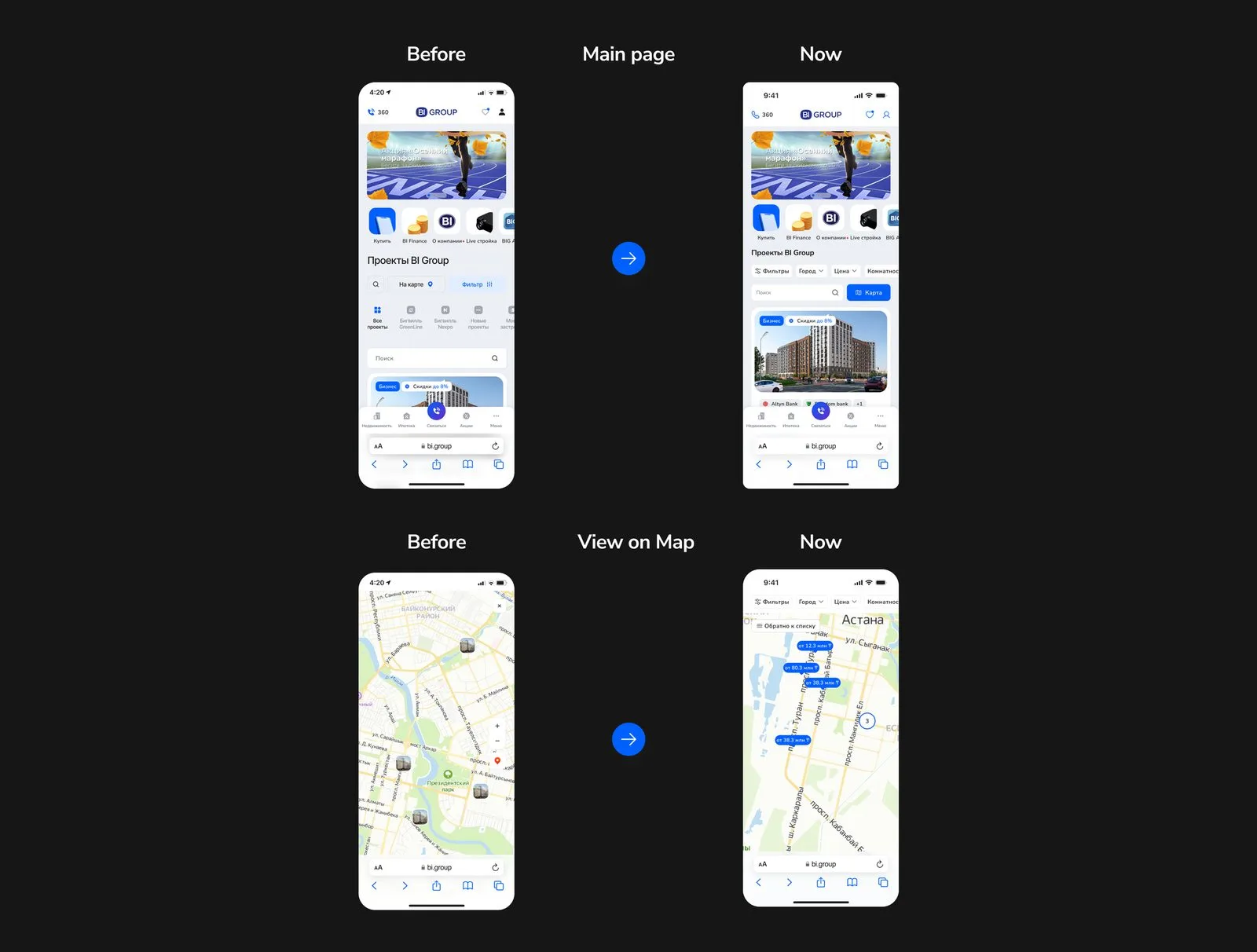
BI Group is one of the largest residential developers in the region, and its site is where most purchases start. On mobile, the filter panel sat under heavy whitespace, the Filters and Map buttons were easy to miss, and every option had the same weight.
The business goal was simple: more mobile buyers reaching a listing they care about. I owned the design end to end, working with the PM on the goal and with engineers and QA through to release.
Eight buyers, one card sort, one clear answer
I benchmarked e-commerce leaders as well as property portals, because BI Group’s strategy is to sell like a marketplace, not like a developer.
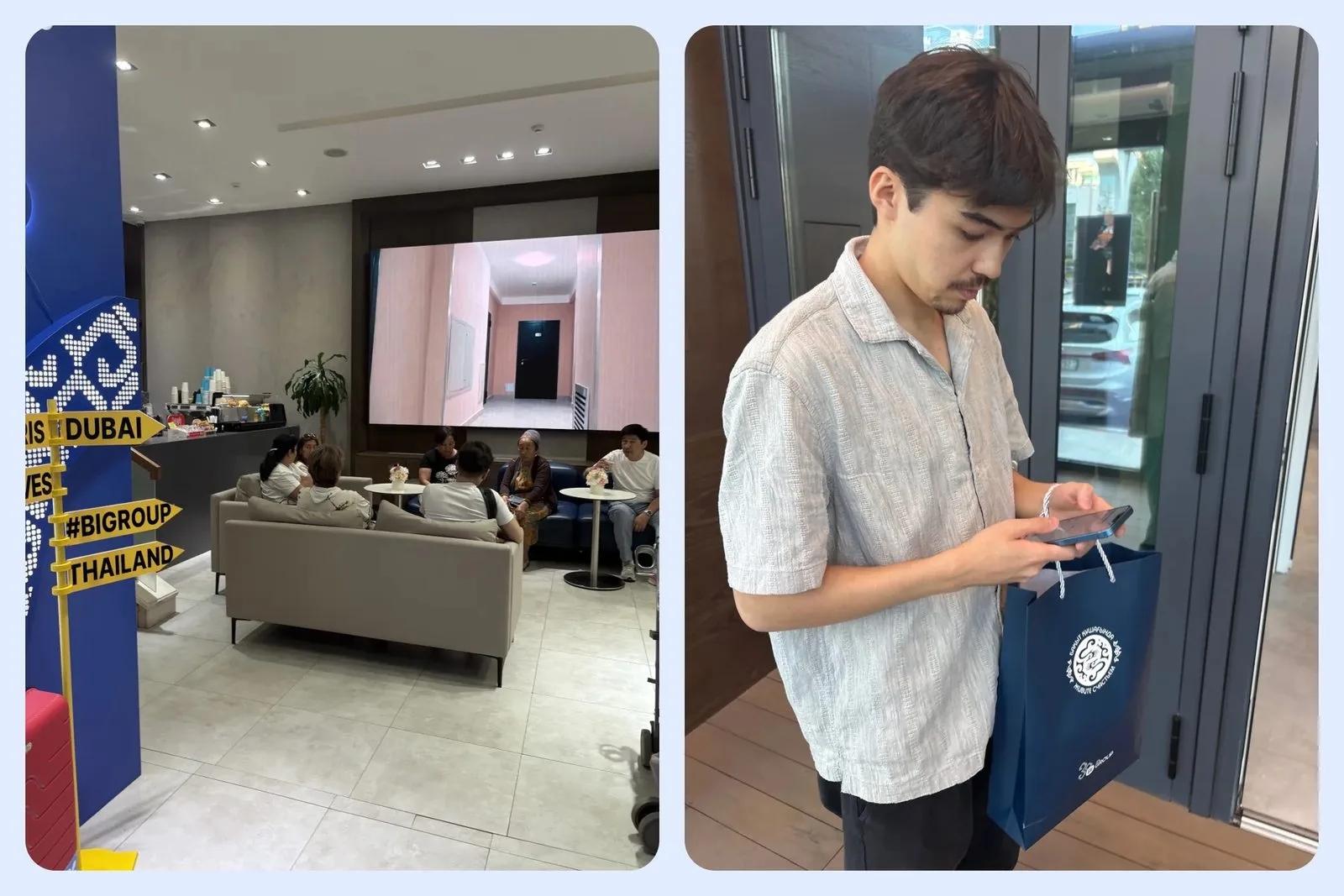
Then I ran card-sorting sessions with 8 real buyers on their own phones in a sales office. City, price and number of rooms covered 87% of all filter use. Everything else was occasional.
- Method: moderated card sort, mobile devices, in a sales office
- Participants: 8 buyers, thanked with a $20 bookstore voucher
- Finding: 3 filters cover 87% of use cases
Remove options to speed up the decision
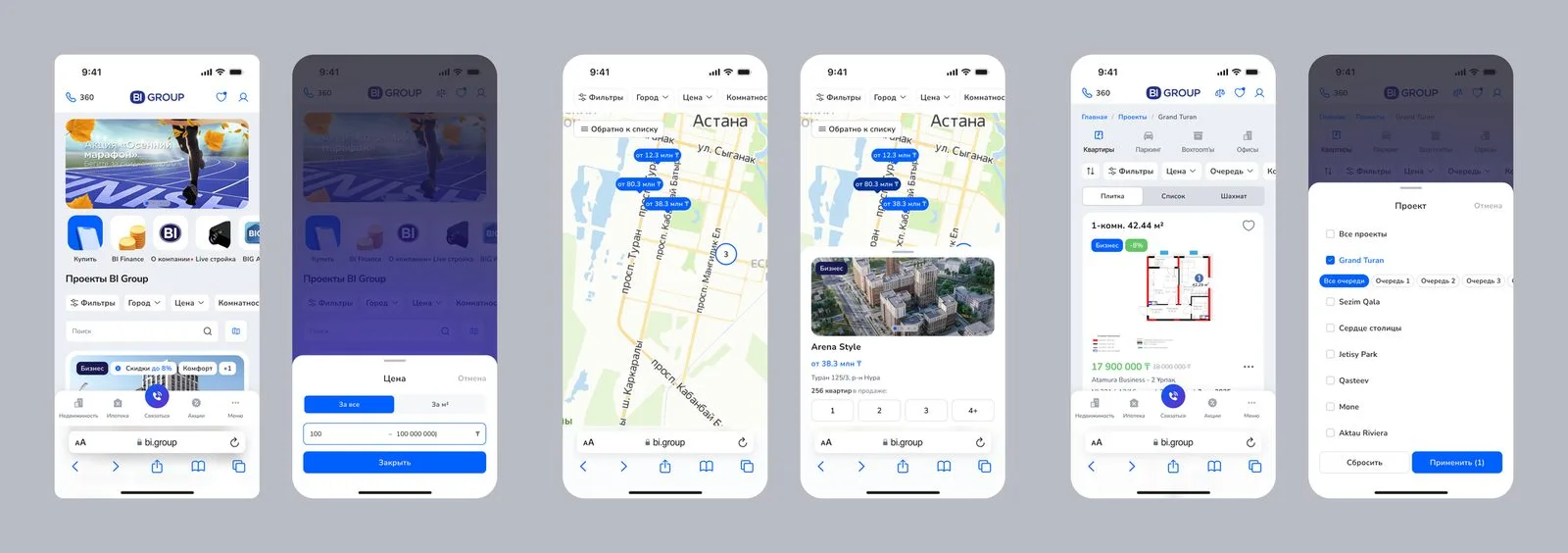
Using the 80/20 split and Hick’s law, I surfaced City, Price and Rooms as quick-filter chips above the results, moved everything else one tap deeper, and gave Map its own labelled button.
The trade-off was deliberate. Power users lose one tap on rare filters; everyone else gets to a relevant listing faster. I also restructured listing cards for faster vertical scanning on small screens.
- Quick-filter chips for City, Price and Rooms
- Simplified header with a visible Map button
- Progressive disclosure for advanced filters
Split-tested before a line of production code
I ran a split test with 12 participants on real phones. The task: find a 2-bedroom apartment in Astana under 30 million KZT.
Feedback led to one more change before handoff: the unclear pin icon became a labelled Map button.
- Old design: 2 of 6 completed the task unaided
- New design: 5 of 6 completed the task unaided
- 10 of 12 preferred the new version
Less bouncing, deeper browsing
In June 2025 the new search served 261,944 sessions from 118,216 users. The conversion rate through quick filters reached 54%, with 5.7 interactions per user. Bounce rate fell from 25% to 16.8% and page depth rose 156%.
The next iteration adds staged A/B releases and event tagging so we can isolate which micro-changes drive the biggest gains.
On mobile, clarity beats completeness. The biggest gain came from removing options, not adding them.